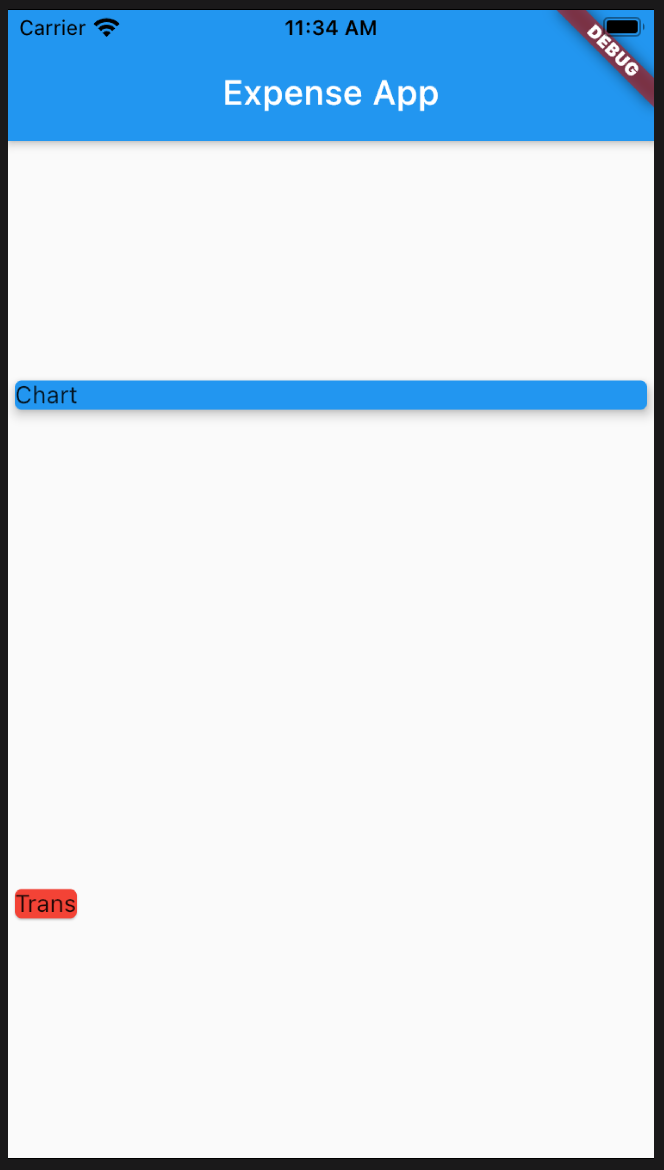
	Column(
		mainAxisAlignment: MainAxisAlignment.spaceAround,
		crossAxisAlignment: CrossAxisAlignment.start,
		children: [
		  Container(
			width: double.infinity,
			child: Card(
			  color: Colors.blue,
			  child: Text('Chart'),
			  elevation: 5,
			),
		  ),
		  Card(
			color: Colors.red,
			child: Text('Trans'),
		  )
		],
	  )
	import 'package:flutter/foundation.dart';

	class Transaction {
	  final String id;
	  final String title;
	  final double amount;
	  final DateTime dt;

	  Transaction(
		  {@required this.id,
		  @required this.title,
		  @required this.amount,
		  @required this.dt});
	}
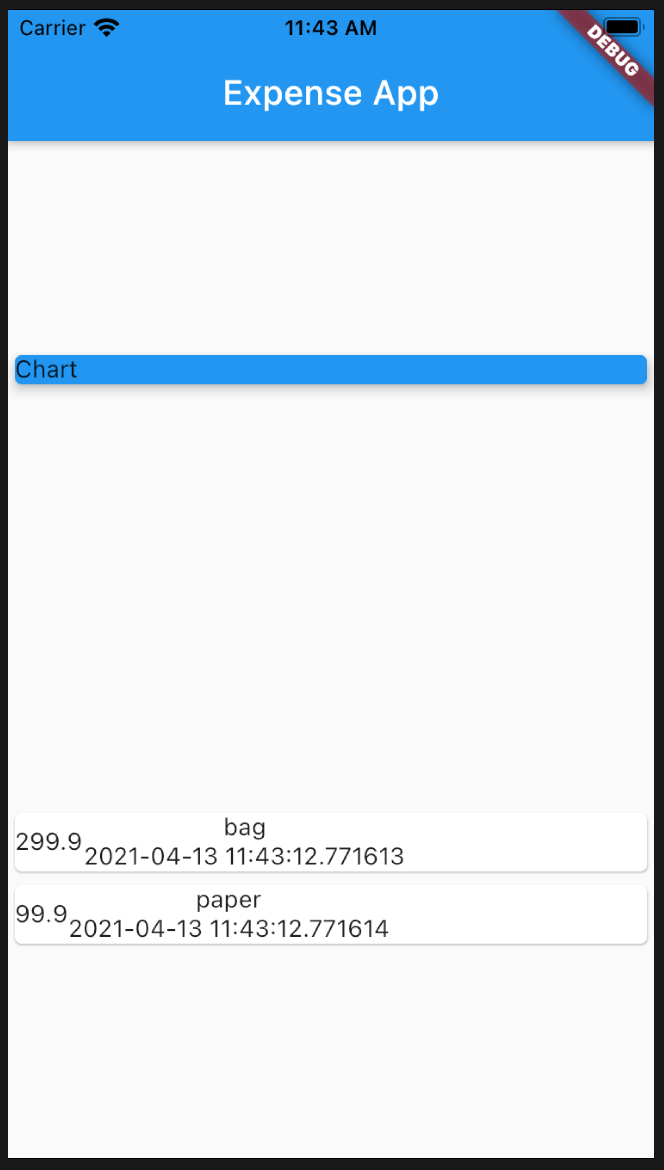
final Listtrans = [ Transaction( id: 't1', title: 'bag', amount: 299.9, dt: DateTime.now(), ), Transaction( id: 't2', title: 'paper', amount: 99.9, dt: DateTime.now(), ), ];
	@override
	Widget build(BuildContext context) {
	  return Scaffold(
		  appBar: AppBar(
			title: Text('Expense App'),
		  ),
		  body: Column(
			mainAxisAlignment: MainAxisAlignment.spaceAround,
			crossAxisAlignment: CrossAxisAlignment.stretch,
			children: [
			  Container(
				width: double.infinity,
				child: Card(
				  color: Colors.blue,
				  child: Text('Chart'),
				  elevation: 5,
				),
			  ),
			  Column(
				children: trans.map((tx) {
				  return Card(
					child: Row(
					  children: [
						Container(
						  child: Text(tx.amount.toString()),
						),
						Column(
						  children: [
							Text(tx.title),
							Text(tx.dt.toString()),
						  ],
						),
					  ],
					),
				  );
				}).toList(),
			  ),
			],
		  ) // This trailing comma makes auto-formatting nicer for build methods.
		  );
	}
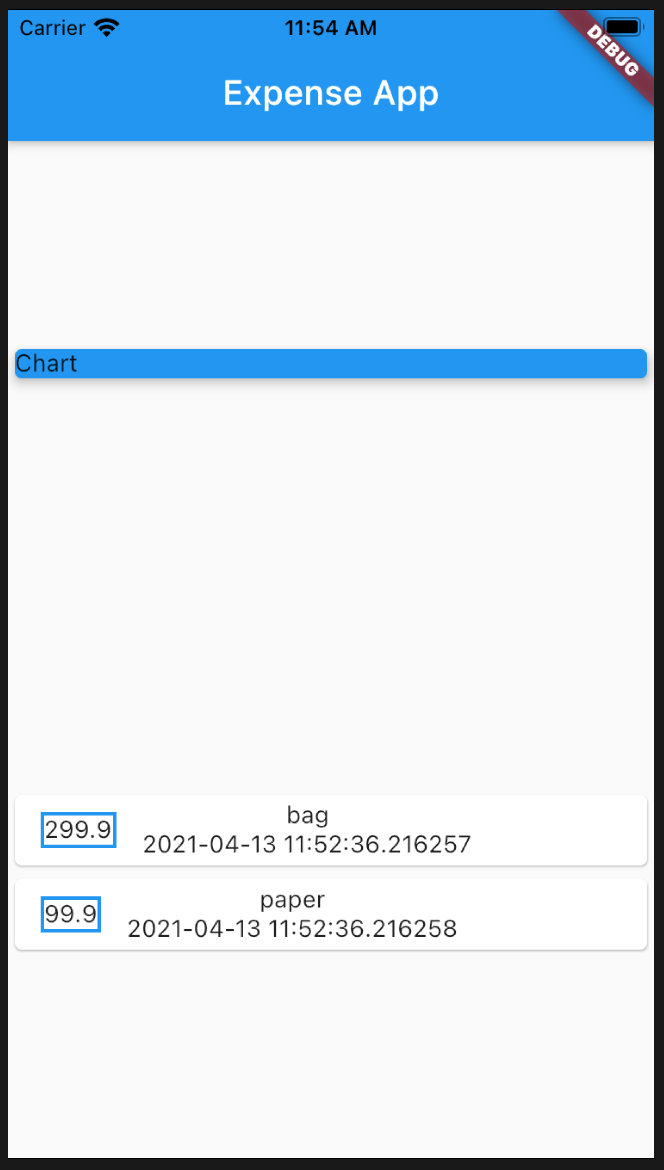
	Column(
		children: trans.map((tx) {
		  return Card(
			child: Row(
			  children: [
				Container(
				  margin: EdgeInsets.symmetric(
					vertical: 10,
					horizontal: 15,
				  ),
				  decoration: BoxDecoration(
					  border: Border.all(
					color: Colors.blue,
					width: 2,
				  )),
				  padding: EdgeInsets.all(10),
				  child: Text(tx.amount.toString()),
				),
				Column(
				  children: [
					Text(tx.title),
					Text(tx.dt.toString()),
				  ],
				),
			  ],
			),
		  );
		}).toList(),
	  ),
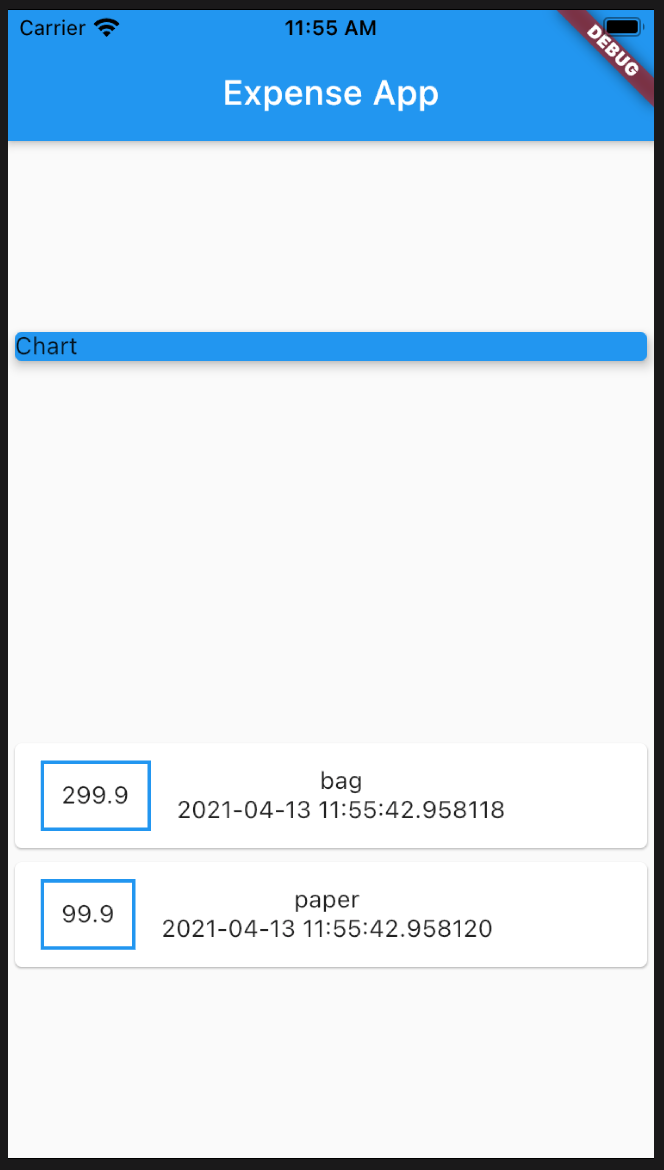
	Card(
           child: Row(
             children: [
               Container(
                 margin: EdgeInsets.symmetric(
                   vertical: 10,
                   horizontal: 15,
                 ),
                 decoration: BoxDecoration(
                     border: Border.all(
                   color: Colors.blue,
                   width: 2,
                 )),
                 padding: EdgeInsets.all(10),
                 child: Text(
                   tx.amount.toString(),
                   style: TextStyle(
                       fontWeight: FontWeight.bold,
                       fontSize: 20,
                       color: Colors.purple),
                 ),
               ),
               Column(
                 crossAxisAlignment: CrossAxisAlignment.start,
                 children: [
                   Text(
                     tx.title,
                     style: TextStyle(
                       fontWeight: FontWeight.bold,
                       fontSize: 15,
                     ),
                   ),
                   Text(
                     tx.dt.toString(),
                     style: TextStyle(color: Colors.blue),
                   ),
                 ],
               ),
             ],
           ),
         );
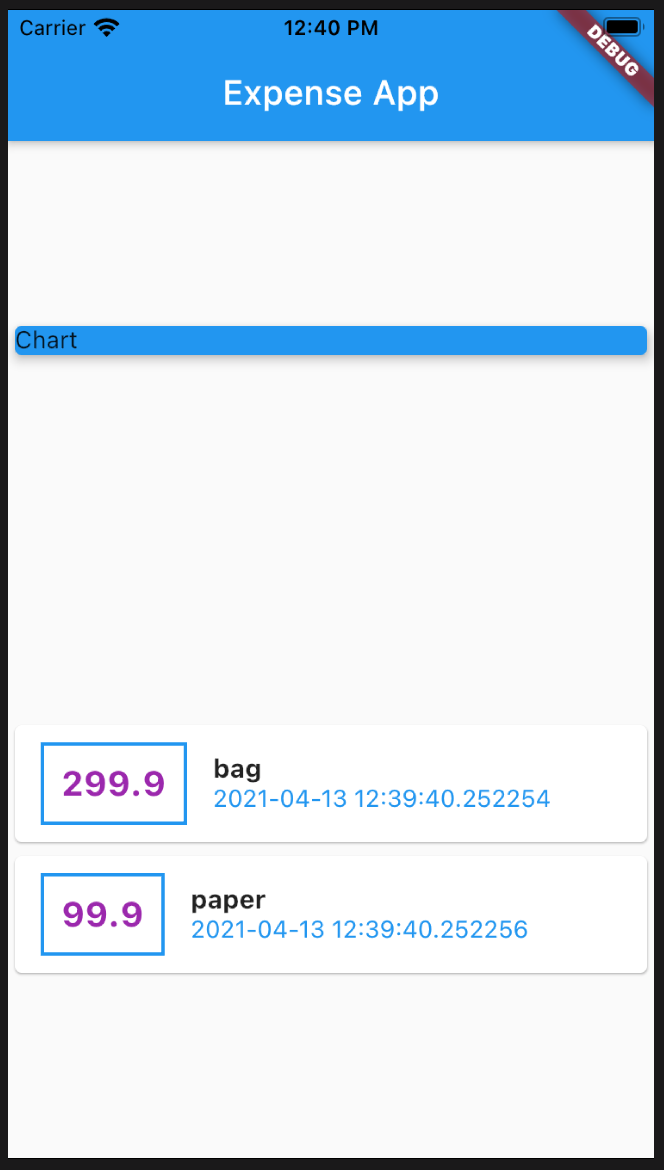
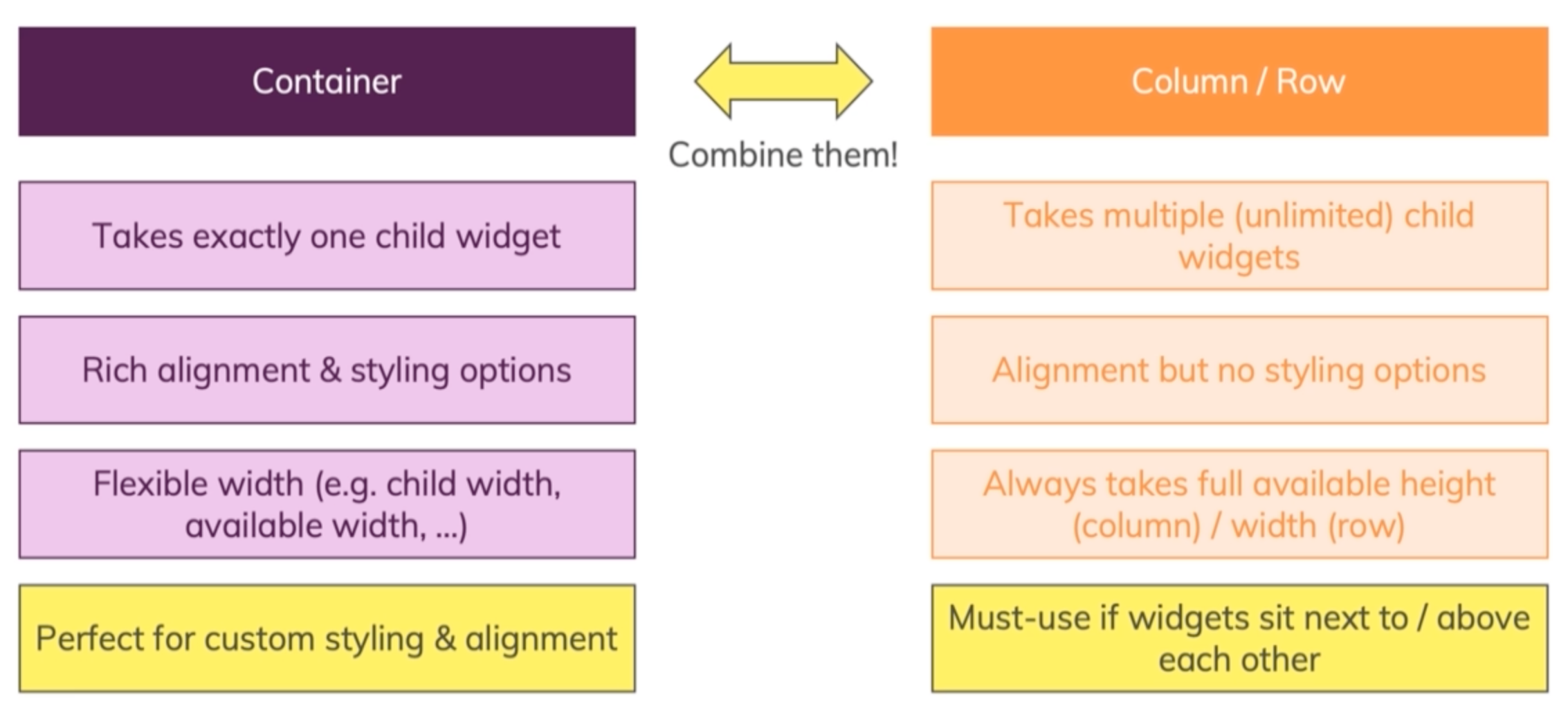
Container for styling
Column and Row for alignment
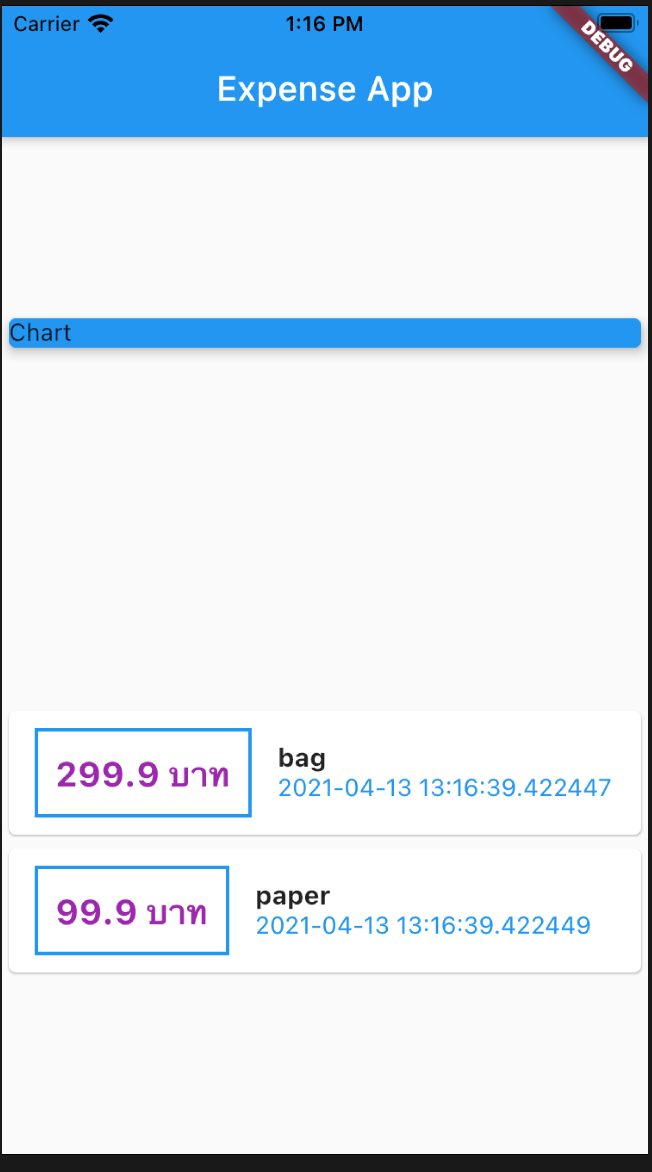
'${data}' converts data into a string
tx.amount.toString() เปลี่ยนเป็น '${tx.amount}'
ใส่เครื่องหมายค่าเงินด้วยการ escape $ ดังนี้ '\$${tx.amount}'
หรือต่อด้วยข้อความ บาท ดังนี้ '${tx.amount} บาท'
child: Text(
      '${tx.amount} บาท',
      style: TextStyle(
          fontWeight: FontWeight.bold,
          fontSize: 20,
          color: Colors.purple),
    ),
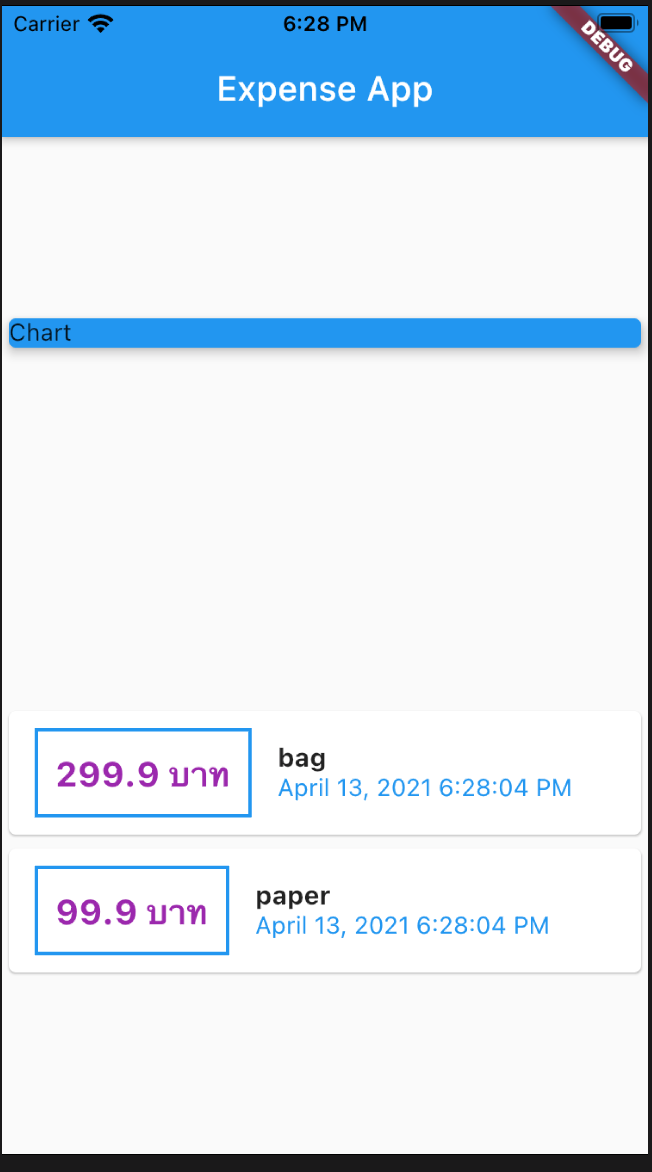
เราจะใช้ Intl package สำหรับจัดรูปแบบของวันที่
ไปที่ https://pub.dev/packages/intl เพื่อดูเวอชันของ Intl package
เพิ่ม Intl package ในไฟล์ pubspec.yaml ภายใต้ dependencies:
	dependencies:
	flutter:
	  sdk: flutter
	intl: ^0.17.0

	# The following adds the Cupertino Icons font to your application.
	# Use with the CupertinoIcons class for iOS style icons.
	cupertino_icons: ^1.0.2
import intl package
import 'package:intl/intl.dart';
เรียกใช้ DateFormat()
DateFormat().format(tx.dt) Apr 13, 2021 7:44:54 PM
Column(
      crossAxisAlignment: CrossAxisAlignment.start,
      children: [
        Text(
          tx.title,
          style: TextStyle(
            fontWeight: FontWeight.bold,
            fontSize: 15,
          ),
        ),
        Text(
          //tx.dt.toString(),
          DateFormat().format(tx.dt),
          style: TextStyle(color: Colors.blue),
        ),
      ],
    ),
2020. mnet50.com